
Flagvent 2025: Day 5
FV25.05 - pink
Difficulty
medium

Categories
fun

Description
🩷🍧🌸🌷🦩

Author
coderionSolution
The image we receive in today's challenge is a 200x200 PNG file showing a static pink square with the colour #ffc0cb:

At first glance, the file size immediately stands out at 33.1 KB. Recreating this image myself results in a 640 byte file. Using a PNG file chunk inspector, we see that the image has an animation chunk indicated by acTL:
Chunk @ offset 33
-----------------
Type:        acTL  ("Animation control")
Raw bytes:   00 00 00 08 61 63 54 4C 00 00 00 1D 00 00 00 00 11 3D 93 23
Data length: 8 bytes
CRC-32:      113D9323

Flags:
  - Ancillary:       1  (non-critical)
  - Private:         1
  - Reserved:        0
  - Unsafe to copy:  0

Fields:
  - Number of frames: 29
  - Number of plays:  0  (0 = infinite loop)
Therefore, we know there are 29 frames in the APNG image.
Using an APNG Disassembler tool, we extract all the frames in the original pink.png image, giving us 29 images. Inspecting each frame reveals that every frame is visually the same as the original image but has slightly different bytes in its binary.
At this stage, we consider image steganography tools. Using Aperi-Solve with our first frame, we notice something interesting when looking at the data in the LSB in the blue channel:
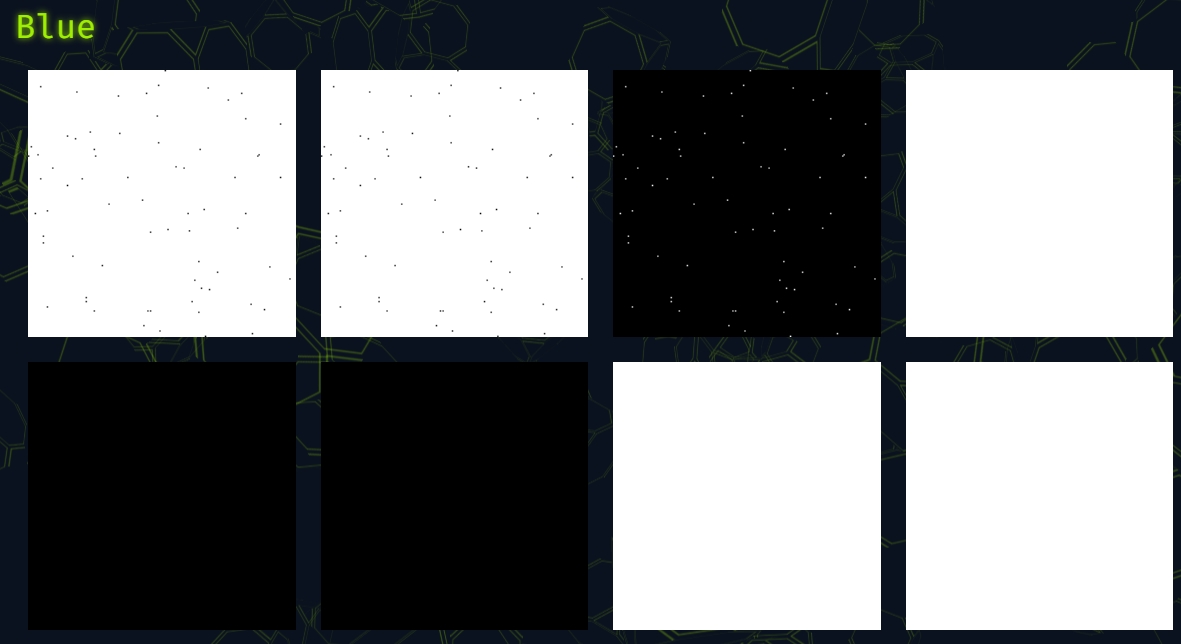
Notice all the dots in each frame when we take the LSB of each byte in the blue channel. At this point, we try some techniques to construct an image by superimposing all the dots together but this doesn't give us anything useful. We also spend a fair amount of time trying to construct a 29x29 QR code, given that we were working with 29 frames and Version 3 QR codes with 29 x 29 modules are common in these CTF challenges. However, this is ultimately a dead end.
Finally, we try and turn every frame into an ASCII character in hopes that it will print out the flag. One idea is to count the number of dots in each frame based on the LSB of each byte in the blue channel, and turn that into an ASCII string. We write a quick script to help us do this:
# Flagvent 2025 - Day 5
# Mo Beigi
#
# Count blue-channel LSB==0 pixels in each frame
# and convert those counts to ASCII characters.

from PIL import Image

chars = []

for i in range(1, 30):
    im = Image.open(f"apngframe{i:02d}.png").convert("RGBA")
    px = im.load()
    w, h = im.size

    zeros = 0
    for y in range(h):
        for x in range(w):
            # blue-channel LSB == 0
            if (px[x, y][2] & 1) == 0:
                zeros += 1

    print(i, zeros)
    chars.append(chr(zeros))

print("ASCII:", "".join(chars))
Running this script gives us the following output, which contains the daily flag:
1 70
2 86
3 50
4 53
5 123
6 87
7 69
8 95
9 76
10 79
11 86
12 69
13 95
14 67
15 79
16 85
17 78
18 84
19 73
20 78
21 71
22 95
23 80
24 73
25 88
26 69
27 76
28 83
29 125
ASCII: FV25{WE_LOVE_COUNTING_PIXELS}
Flag:
FV25{WE_LOVE_COUNTING_PIXELS}